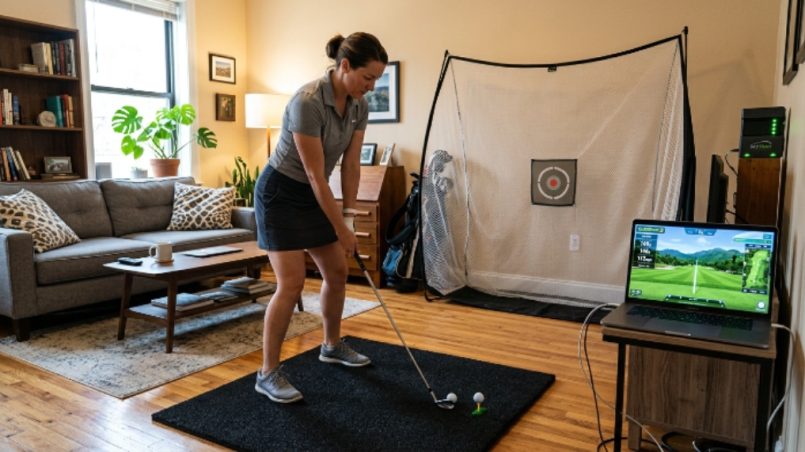
Golf is no longer limited to the course. Thanks to modern technology, you can practice your swing, play virtual rounds, and improve your game from the comfort of your own home. Building a portable golf simulator setup with a laptop is more affordable and practical than most people think. Whether you live in a small apartment or just want a flexible practice option, this guide gives you everything you need to get started.
Why a Portable Golf Simulator Makes Sense in 2026
Dedicated golf simulator rooms are impressive. However, they are also expensive, permanent, and out of reach for most everyday golfers. A portable setup solves all of these problems. You can set it up in your living room before a session and pack it away when you are done.
Additionally, a laptop-based system gives you real software power without the cost of a dedicated gaming PC. Modern laptops handle today’s simulator software with ease. Therefore, whether you are a beginner or a scratch golfer, a portable setup gives you consistent, year-round practice without breaking the bank.
Understanding the Core Components
Before you spend a single dollar, understand what a golf simulator actually needs. Every setup, no matter the size or budget, relies on the same four building blocks.
The first is a launch monitor. This device tracks your club and ball data. It measures swing speed, ball speed, launch angle, spin rate, and shot direction. Without it, the simulator is just a screen and a mat.
The second is simulator software. This runs on your laptop and turns the data from the launch monitor into a virtual golf experience. Good software offers realistic course rendering, accurate ball flight, and useful practice modes.
The third is a hitting mat and net. The mat protects your floor and gives you a realistic turf feel. The net catches the ball so you do not need a large open space.
The fourth is a screen or projection surface. For a portable setup, a simple impact screen or even a white wall can work well. Finally, your laptop ties everything together by running the software and displaying the game.
Choosing the Right Launch Monitor for a Portable Setup
The launch monitor is the most important purchase you will make. Fortunately, portable options have improved dramatically. Many compact units connect to a laptop via Bluetooth or USB, making them ideal for a small space golf simulator.
Look for these features when comparing models:
- Doppler radar or camera-based tracking for accuracy
- Bluetooth or USB connectivity for easy laptop pairing
- Indoor and outdoor compatibility
- A companion app or direct software integration
- A compact form factor that fits in a bag
Entry-level options like the Garmin Approach R10 or Rapsodo MLM2PRO offer solid performance at a reasonable price. Mid-range units like the Flightscope Mevo+ step up the accuracy and data depth. Premium options like the SkyTrak+ sit at a higher price point but deliver near-professional results.
Choose based on your budget and how seriously you want to track your data. Even a basic launch monitor transforms practice into a genuinely useful session.
Picking the Best Simulator Software for a Laptop
Your launch monitor and software must be compatible. Always confirm this before buying either one. Several excellent software platforms run smoothly on a modern laptop.
E6 Connect is a popular choice. It features realistic course graphics and works with many launch monitors. GSPro is another strong option, especially popular among home simulator users for its value and active community. Creative Golf 3D offers a more casual experience and is great for families or beginners.
For laptop performance, aim for at least 16 GB of RAM, a dedicated graphics card, and an SSD. These specs ensure smooth rendering and fast load times. However, many mid-range gaming laptops available in 2026 already meet or exceed these requirements without a premium price tag.
Setting Up Your Hitting Area
This is where a compact golf setup truly shines. You do not need a large room. A space of roughly ten feet wide, ten feet deep, and nine feet tall is enough for most golfers to swing comfortably.
Start with the hitting mat. Choose one that is at least five feet by three feet. Mats with a built-in tee holder add convenience. Place it on a flat, non-slip surface. A rubber underlay beneath the mat prevents it from sliding during swings.
Next, position your net or impact screen. A portable net on a free-standing frame works well for most setups. If you want to project your simulator display, an impact screen hung from a frame gives you a much more immersive experience. Either way, the net or screen should sit roughly eight to ten feet in front of your hitting position.
Place your launch monitor either behind the ball or to the side, depending on the model. Read the manufacturer’s instructions carefully, because positioning affects accuracy.
Finally, set up your laptop on a small table or stand to the side of the hitting area. Connect any cables, open your software, and pair your launch monitor.
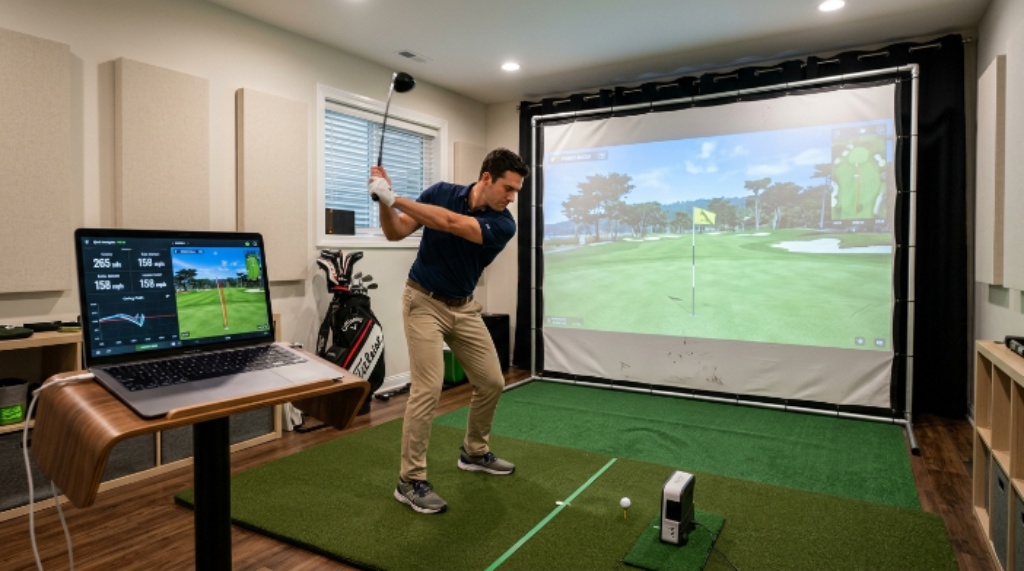
Projector vs. Laptop Screen — Which Display Option Is Right for You?
This decision depends on your available space and budget. Using your laptop screen directly is the simplest and most portable option. You glance at the screen between shots to see ball flight and data. It is not as immersive, but it works perfectly for practice.
A projector adds a completely different level of engagement. You can display the course on an impact screen or a white wall, turning your setup into a near-arcade experience. Portable short-throw projectors work best in tight spaces because they produce a large image from a short distance.
Additionally, if you use a projector, you can mirror your laptop display wirelessly using a streaming stick or HDMI cable. This keeps your cables tidy and your setup flexible.
Tips for Making a Small Space Work Better
Limited space does not mean limited results. A few smart choices go a long way toward making your setup feel professional.
Use a side netting baffle if your room is narrow. This catches any stray shots that drift sideways. It also protects walls and furniture. Foam floor tiles under the mat add cushioning and reduce noise, which is especially helpful in apartments.
Good lighting matters more than most people expect. Avoid shadows near the hitting area, because some camera-based launch monitors rely on consistent lighting to track the ball accurately. A simple ring light or two LED work lights can solve this entirely.
Cable management keeps the space tidy and safe. Tape cables along the floor or use a small cable runner so nobody trips during a session.
Budgeting Your Portable Golf Simulator
A realistic budget helps you prioritize wisely. Here is a rough breakdown of what to expect at different price levels:
- Entry level ($500 to $1,000): Basic launch monitor, hitting mat, portable net, and free or low-cost simulator software
- Mid range ($1,000 to $2,500): Accurate launch monitor, quality impact screen, short-throw projector, and premium software subscription
- High end ($2,500 to $5,000): Professional-grade launch monitor, full frame impact screen setup, and top-tier simulator software
Even the entry-level tier gives you a genuinely useful practice tool. Therefore, do not feel pressured to start at the top. Many golfers begin with a basic kit and upgrade one component at a time.
Maintaining and Storing Your Setup
One of the biggest advantages of a portable setup is how easy it is to store. Most mats roll up or fold flat. Nets collapse onto their frames in minutes. A protective bag keeps your launch monitor scratch-free between uses.
Store everything in a dedicated corner of a closet or garage. Keeping all components together means setup takes less than fifteen minutes each time. Additionally, storing cables neatly in a small zip pouch prevents tangles and lost parts.
Clean your mat regularly to remove dirt and debris. Dirty mats wear out faster and can affect the feel of your shots. A quick brush-down after each session keeps everything in good shape for years.
Conclusion
Building a portable golf simulator setup with a laptop is one of the smartest investments a golfer can make. You get year-round practice, detailed swing data, and an enjoyable virtual experience — all without a permanent room or a massive budget. Start with a quality launch monitor and compatible software. Add a mat, net, and a simple display solution. Then refine your compact golf setup over time as your skills and budget grow.
A small space golf simulator is not a compromise. It is a practical, modern way to love the game more deeply, practice more consistently, and play better rounds when you finally step back onto the course.
Frequently Asked Questions
What is the minimum room size needed for a portable golf simulator?
A space of about ten feet wide, ten feet deep, and nine feet of ceiling height is the minimum for most golfers. Taller players or those with wide swings may need a foot or two of extra ceiling height to swing freely and safely.
Can any laptop run golf simulator software?
Most modern laptops released in the last three years can run popular simulator software. However, for the best experience, choose a laptop with a dedicated graphics card, at least 16 GB of RAM, and an SSD. Integrated graphics can struggle with demanding course rendering.
Do I need an internet connection to use my golf simulator?
Some software platforms require an internet connection for initial setup, license verification, or online multiplayer. However, many offer an offline mode once activated. Check your specific software’s requirements before purchasing.
Is a launch monitor accurate enough for serious practice?
Yes. Mid-range launch monitors available in 2026 offer data accuracy that rivals much older professional systems. They measure club speed, ball speed, spin, and launch angle with impressive precision, making them very useful for serious practice and improvement.
Can I use a portable golf simulator outdoors?
Some launch monitors are designed for both indoor and outdoor use. However, screens, projectors, and nets are generally not suited for outdoor conditions. If you want to practice outdoors, a launch monitor paired with your laptop and simulator software works well on a patio or driveway without the full screen setup.
Related Topics:
How to Choose the Right Beginner Golf Set: A Detailed Callaway Edge Review
How Skateboard Setup Affects Performance and Control